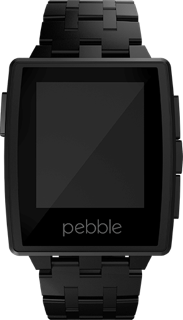
Pebble: Still Not Ready

Sadly, I have to say the Pebble smart watch is still not ready for general use. There are still too many bugs in the firmware, and too many limitations for it to be acceptable to anyone outside of the early adopter crowd. Even a year after they initially shipped.

In the early days, the regular firmware updates seemed to improve things. Unfortunately, the most recent updates seem to have made things worse. 

Battery Issues

The new stainless steel watches were launched with version 2 firmware and the Pebble App Store all of which seemed great. Except that the battery life of the watch could suddenly drop from the several days normally achieved to just a few hours. And it could go from super efficient to super inefficient at any time. Given that battery life is one of their key advantages, this was a pretty serious regression. Something that should have been caught during testing.

The fixed firmware was released recently, but apparently it is still not really fixed. My watch took around 24 hours to drop from fully charged to 89% (that is pretty much the normal rate I have observed – around 10% a day).

2014-05-18 04:48:27:000 ttery_monitor.c:204 Batt state: 4224mV 99% hardware charging 0 plugged 0
2014-05-19 02:55:26:000 ttery_monitor.c:204 Batt state: 4095mV 90% hardware charging 0 plugged 0 
2014-05-19 03:00:26:000 ttery_monitor.c:204 Batt state: 4086mV 89% hardware charging 0 plugged 0 
2014-05-19 05:41:26:000 ttery_monitor.c:204 Batt state: 3994mV 79% hardware charging 0 plugged 0 
2014-05-19 08:19:26:000 ttery_monitor.c:204 Batt state: 3927mV 69% hardware charging 0 plugged 0 
2014-05-19 09:44:26:000 ttery_monitor.c:204 Batt state: 3869mV 59% hardware charging 0 plugged 0

But then look at what happened. The next 30% drop took less than 7 hours. And for most of that time I was asleep and very few notifications were being delivered (I get far more during the day when all my calendar event reminders are firing off).

Seems the issue with the battery is still not fixed. I have submitted the logs, but at this point I am losing confidence in Pebble’s ability to fix these serious firmware issues.

Audio Interference

For the longest time the audio quality I have experienced when using my car’s hands free telephone system has been terrible. Very occasionally it would be crystal clear, but most of the time it was crackly, sometimes to the point where I would need to hang up and redial in hopes of getting better quality. It never occurred to me that the cause of this noise was the Pebble. 

Last week though I was driving back home after going to pick up some paperwork and I was stuck in traffic listening to music from my phone connected via the car’s A2DP connection. This had always been good quality (further confusing me as to why the telephone audio should be so bad), but now it was experiencing periodic drop outs. Very short times in the music when there was silence, but easily noticeable. Since I was stuck in traffic, often not moving at all for several minutes, I had time to trace the cause.

Remembering that the Pebble had just updated its firmware, that was an obvious place to start. Turning off the Bluetooth on the watch didn’t impact anything immediately but right then the traffic moved, so I turned my attention back to the road; leaving the Pebble’s Bluetooth off. Perhaps 30 seconds or so after I switched it off, the dropouts stopped. The next time I stopped, I turned Bluetooth back on and sure enough the drop outs re-appeared. So now, the Pebble interferes with A2DP music streams (a clear, and serious regression).

Even more interesting, during one of the times I had Bluetooth off I received a call. It was crystal clear. More experimenting with that showed that the interference I had long put down to an incompatibility between my car and iPhone was in fact also being caused by the Pebble. That is not a regression in the latest firmware though; that has always been there.

Some searching online revealed a thread on their support forums describing the hands free audio interference that is happening in lots of cars. And yet the support response I got merely shrugged it off with the advice that I should disable Bluetooth on my watch when in the car & there was no way they could test all cars. Obviously, nobody would expect them to test all cars, but it doesn’t seem hard to find some that show the problem. And there is even a detailed post in that thread stating the problem can be reproduced on Bluetooth audio quality measurement test equipment:

The Voice Quality algorithm used for this test was ITU-T P.862.1 (PESQ). The scale for the PESQ algorithm is 1-5 (5 being perfect). For all tests, the iPhone is on ATT network whereas the far-end is Verizon PSTN. Each test consisted of 3 different calls, each call sending/recordng 4 voice files. After each test i averaged all PESQ scores.
The average score for iPhone5 without Pebble was 2.71. This is average for mobile to PSTN.
The average score for iPhone5 with Pebble was 1.36. This is considered extremely low.
The average score for iPhone4 without Pebble was 2.40. 
The average score for iPhone4 with Pebble was 1.22.

That makes it pretty clear that the Pebble is interfering with the audio quality on iOS devices at least. Again, this should really have been caught during testing.

Recommendation

At this point in time, if you asked me whether you should buy a Pebble I would have to say no. Not unless you are willing to live with pre-alpha quality software, potentially abysmal battery life, poor quality Bluetooth audio connections and relatively little support. When it is working well, the Pebble is a great smart watch, but the ongoing software quality issues are really letting it down right now.

Coin – A Smart Credit Card

A few years ago, when Square launched, I was pretty negative about the hype surrounding it mostly because the continued dependency on magnetic stripe bank cards in the US mystifies me. Now I am starting to see smart card and NFC touch payment terminals appear in more and more merchants. So, I was disappointed to see Coin launch what is essentially another solution dependent on the extremely dated magnetic stripe technology.

Admittedly, all the credit cards in my wallet are still using magnetic stripes, but that is something I am seriously hoping will change soon. When I left the UK, almost 16 years ago now, smart cards were already common (locally referred to as “chip & pin”). So why are all these technology companies, not to mention the banks, still focused on magnetic stripes with all of their inherent security problems.

Continue reading

Engineering Log

Experimenting with a new service called 10 Centuries that allows me to create quick blog posts via an app.net client.

I have created a new engineering log for technical snippets hosted by this service. So, if you’re interested in more technical updates (things I am working on, as well as perhaps hints and tips related to Android, iOS or any other technology I am working with), feel free to bookmark that link.

I am also planning a refresh of this site; you’ll already see that I have moved the site from its old location to become the entire bluedonkey.org site. Don’t worry though, any links you have should still work – they will just redirect to the new location. There are more changes coming, and part of that will include having the engineering log link placed prominently on this site.

Crowdfunding

Yesterday’s discussion around the ParaShoot camera project and whether it was doing any more than rebadging a Chinese ODM’s product, available in bulk on Alibaba already, for sale here in the US or actually developing something novel lead to some thoughts on crowd funding and what they can, or should, be applied to. 

Manu Vollens (@manuvollens) proposed that crowd funding should only be used for disruptive projects:

Whether or not that applies to the ParaShoot project, I do think it is a little too restrictive on the funding model. One of the advantages of crowd funding is that in parallel with raising the money to fund your project you are also gauging the market’s demand for your project. But why should that be limited to disruptive projects?

Continue reading

Sony’s Fun “Lens Camera” Concept

Sony Cybershot QX100Lots of announcements today (technically yesterday, but who’s counting) for new products from Sony and Samsung. The latter don’t interest me that much, and perhaps the reasons for that will be a future post, but the Sony announcement (which I had seen the leaks about beforehand) did include something of interest: a whole new camera concept.
Continue reading

Bionym Heart Biometrics

Nymi BandsI read about this interesting new biometrics product, the Nymi bracelet from Bionym the other morning on the train, and at first I thought it sounded like a pretty smart solution to some of the problems with more conventional external biometrics.

But then I started thinking more about this, especially in light of an article I read by Glenn Fleishman about coping with the loss of a second factor device, and I started having doubts.
Continue reading

International Calling

One of the things that most ex-pats will likely need to deal with is calling home to friends and family, and doing so in a way that doesn't break the bank. When I first arrived in the US I used calling card services to call back to the UK, and while it was cheaper than regular international calling, it wasn't something I would want to do too often.

Now that has all changed, and there are a plethora of technologies available for solving the problem. I have three that I use regularly, and most of my calls are now free.

Call Centric

First on that list is a VoIP service called Call Centric. To make this work I set up my mother's house and mine with relatively cheap SIP adapters from Linksys' Sipura range, each connected to a regular cordless phone. That gave my mother something she was familiar with to call me. Her account is free since it is outside the US (phones located in the US need to pay a $1.50 monthly 911 fee), but she can only call my Call Centric number from it. My line also has credit loaded into it allowing me to call regular PSTN numbers anywhere in the world at competitive VoIP rates (calls to UK landlines are currently about 2¢ per minute, and UK mobiles about 20¢ per minute).

The time difference often means that the best time for me to call home though is not while I am at home. To solve that, I have a couple of tricks:

  1. SIP Broker: a free service allowing me to dial a local phone number (they have numbers all over the US) and from there dial a SIP number. I have this sequence programmed into my iPhone so I can simply tap a contact line and call my mother's Call Centric line from my mobile, incurring only the minutes from my mobile plan for a domestic call. They have local access numbers worldwide, making it easy to get into the VoIP system from just about anywhere. You will need to know the prefix for your callee's service though which is a little annoying (to dial a Call Centric number from SIP Broker, prefix the CC number with *462). Check their online provider list to see if your VoIP service is peered with them.
  2. Call Centric has what they call a calling card feature where I can dial into their service, enter my account number and a security PIN, and then dial any number using my VoIP plan. The cost is a little higher as you pay for the domestic call component as well as the international one, but it means I have super cheap rate international calling from my mobile. As with SIP Broker, I have the sequence programmed into my contacts so I don't need to dial it all manually each time.

Call Centric covers almost all my voice calling needs, and apart from one time when they were being subjected to a DDoS attack, they have been very reliable.

I do also have two SIP clients on my iPhone, both configured with my Call Centric account, that I can use to make calls directly. The ones I have are Zoiper and 3CX.

FaceTime

The one service that we use that Call Centric doesn't work for is video calling. Having a toddler in our family who doesn't get to see his British family very often in person meant we needed a video calling solution too. As soon as my mother was equipped with an iPhone, that became a lot easier.

While not as flexible in terms of where we can make calls from, we have managed FaceTime calls from Starbucks and over hotel WiFi networks. It is a shame my AT&T plan doesn't allow them over LTE too, but since public WiFi is something I a more than a little familiar with, finding a hotspot to call from is rarely a problem. Most of our FaceTime calls are from home at the weekends anyway.

Skype

Relegated to something of a backup solution now, my mother and I both have Skype plans too. Before she got her iPhone, we used Skype video calling either with one way video to her first generation iPad, or two way video to her computer. I would say it was slightly less reliable than FaceTime, and usually lower quality images too, but it works across platforms which is a big advantage if either end of the call is not using Apple kit.

I also keep credit on Skype so I can use it to call her on her landline in case Call Centric fails for any reason.

Skype quality though has become very unpredictable. When it works, it is great, but all too often it will drop calls or the quality will disappear and noise is all we hear. I have heard good things about Viber as a possible alternative to Skype, but right now Call Centric and FaceTime are good enough that I don't need to look into an alternative to Skype just yet.

Prepaid Plans for iPhone Users

As a traveler who likes to stay connected, but doesn't like the rates that my home network operator charges when roaming, I am accustomed to looking for a prepaid SIM for my unlocked iPhone before traveling. When a relative from Australia said one of her first tasks after landing was to sort out a plan for her iPhone (which she checked was unlocked), I thought I would take a look at the prepaid plans available.

Continue reading

Free With Ads or Ad Free

Every so often an app comes along that breaks the sacred rule of ads: they include some form of advertising in a paid app. The most recent was Angry Birds, a hugely successful $0.99 app, by including a house ad on their pause screen. That’s pretty innocuous – most players will rarely, if ever see that screen, and the ad was for other Angry Birds products. But where did this rule come from?

Free With Ads
Most people seem to have accepted that a free app with some ads is an acceptable compromise, allowing the developer to collect some revenue to (help) pay for the development & maintenance of the app. This model appeared on the web too, where many sites carry ads to pay for their content being free.

Unfortunately, it rarely brings in enough money to truly pay for the development of the app, or the creation of the content. As the news industry is discovering, ad supported web sites alone just don’t pay the bills. The solutions for the web are well known:

  1. Less content, which is a vicious circle, since less content means less ads;
  2. Lower quality content, also a vicious circle since you less readers;
  3. Subscriptions for accessing some or all of the content;

In the app world, especially in an app world where updates are expected to be free for life & the initial purchase price as near to $1 as possible, the choices are more limited. The Angry Birds idea of adding discrete ads later in the life of the paid app seems like it might become more the norm as developers loom for ways to at least subsidize ongoing maintenance of very low cost apps that are in the long tail of their sales volume.

Old Media
The odd thing about the fuss over ads being included in a paid app is that most of those complaining are probably happily paying for newspapers, magazines and television content, and at rates often much higher than $0.99 for life, yet all of those include ads as well.

My Comcast cable bill makes my app purchases look insignificant, and yet almost all the channels on there show ads. Even the premium HBO channels show house ads between programming; essentially the equivalent of the Angry Birds pause screen ad.

Watched a movie at a theatre recently? Over $10 to enter, and they spend 15+ minutes before the movie plays showing ads for all kinds of things.

Why is it acceptable to pay for these types of content and still see ads, but it breaks an inviolable law for a paid app, charging a fraction of the price, to include even discrete house ads? Seems like there is a double standard there somewhere.

Free Updates
There’s no such thing as a free update, at least not for a developer. Every update, no matter how small, involved time and effort. It also requires an annual subscription to the developer program(s) for the platform(s) the app is being supported on, and continuous outlay for expensive hardware to make sure the app works on the latest devices as well as a selection of older ones.

I don’t want this piece to become a whine about how developers are not getting paid enough for their apps though. If you’re not getting paid enough to keep your business working, you need to look for a (creative) solution to that, or change business!

With enterprise software, the cost of updates is covered by, often very expensive, annual maintenance contracts. For shrink wrapped or downloadable desktop consumer software, the initial purchase price includes some maintenance, and major updates normally have to be paid for (if you’re lucky, at a discount rate). But for mobile apps, free updates for lifetime have become the rule. A developer who tries to charge for an update by making the next version of their app a different app that must be bought again is likely to called greedy & given lots of bad publicity online.

In some segments of the market that is less of a problem – games, as an example, have a short life before they are replaced by the next great idea. Apps that are expected to have a longer useful lifetime find it harder to maintain a revenue stream that can pay for new features, or even maintenance of existing ones.

Options
What options are available in the current app world to a developer wanting to keep improving their app?

  • Ads, even in an app that was initially paid for;
  • Subscription for content and/or a service;
  • Charging for new features via in-app purchases, or by creating new apps on major releases;

If your app does not lend itself to a service you can charge for (or Apple’s ever changing rules on subscriptions outside of the app store payment mechanism concern you), then your options are charging for new features or running ads.

In the near future, in expect we will start to see more paid apps including some form of advertising. I hope it is better than the generic & poorly targeted banner ads we see today from networks like AdMob and iAds.