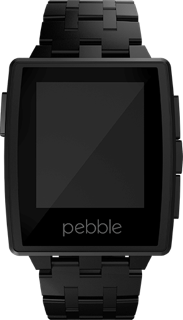
Pebble Battery Life

Given how random my Pebble’s battery life can be these days,I thought I would extract the battery level information from the logs they keep (tip: if you want to see these, just start the process to generate a support request but when the email editor opens change the recipient to your own address before sending).

The graph is quite telling:

That is a little over 6 days worth of data and clearly shows periods where the consumption is far faster than it should be to allow for several days of battery life. The last two days, I have had to charge the watch every night or risk having it run out mid way through the day (and I don’t want to carry the charging cable with me everywhere I go).

The most recent firmware was meant to address the crazy power consumption issue, but it looks from this chart as though their fix doesn’t change anything.

Pebble: Still Not Ready

Sadly, I have to say the Pebble smart watch is still not ready for general use. There are still too many bugs in the firmware, and too many limitations for it to be acceptable to anyone outside of the early adopter crowd. Even a year after they initially shipped.

In the early days, the regular firmware updates seemed to improve things. Unfortunately, the most recent updates seem to have made things worse. 

Battery Issues

The new stainless steel watches were launched with version 2 firmware and the Pebble App Store all of which seemed great. Except that the battery life of the watch could suddenly drop from the several days normally achieved to just a few hours. And it could go from super efficient to super inefficient at any time. Given that battery life is one of their key advantages, this was a pretty serious regression. Something that should have been caught during testing.

The fixed firmware was released recently, but apparently it is still not really fixed. My watch took around 24 hours to drop from fully charged to 89% (that is pretty much the normal rate I have observed – around 10% a day).

2014-05-18 04:48:27:000 ttery_monitor.c:204 Batt state: 4224mV 99% hardware charging 0 plugged 0
2014-05-19 02:55:26:000 ttery_monitor.c:204 Batt state: 4095mV 90% hardware charging 0 plugged 0 
2014-05-19 03:00:26:000 ttery_monitor.c:204 Batt state: 4086mV 89% hardware charging 0 plugged 0 
2014-05-19 05:41:26:000 ttery_monitor.c:204 Batt state: 3994mV 79% hardware charging 0 plugged 0 
2014-05-19 08:19:26:000 ttery_monitor.c:204 Batt state: 3927mV 69% hardware charging 0 plugged 0 
2014-05-19 09:44:26:000 ttery_monitor.c:204 Batt state: 3869mV 59% hardware charging 0 plugged 0

But then look at what happened. The next 30% drop took less than 7 hours. And for most of that time I was asleep and very few notifications were being delivered (I get far more during the day when all my calendar event reminders are firing off).

Seems the issue with the battery is still not fixed. I have submitted the logs, but at this point I am losing confidence in Pebble’s ability to fix these serious firmware issues.

Audio Interference

For the longest time the audio quality I have experienced when using my car’s hands free telephone system has been terrible. Very occasionally it would be crystal clear, but most of the time it was crackly, sometimes to the point where I would need to hang up and redial in hopes of getting better quality. It never occurred to me that the cause of this noise was the Pebble. 

Last week though I was driving back home after going to pick up some paperwork and I was stuck in traffic listening to music from my phone connected via the car’s A2DP connection. This had always been good quality (further confusing me as to why the telephone audio should be so bad), but now it was experiencing periodic drop outs. Very short times in the music when there was silence, but easily noticeable. Since I was stuck in traffic, often not moving at all for several minutes, I had time to trace the cause.

Remembering that the Pebble had just updated its firmware, that was an obvious place to start. Turning off the Bluetooth on the watch didn’t impact anything immediately but right then the traffic moved, so I turned my attention back to the road; leaving the Pebble’s Bluetooth off. Perhaps 30 seconds or so after I switched it off, the dropouts stopped. The next time I stopped, I turned Bluetooth back on and sure enough the drop outs re-appeared. So now, the Pebble interferes with A2DP music streams (a clear, and serious regression).

Even more interesting, during one of the times I had Bluetooth off I received a call. It was crystal clear. More experimenting with that showed that the interference I had long put down to an incompatibility between my car and iPhone was in fact also being caused by the Pebble. That is not a regression in the latest firmware though; that has always been there.

Some searching online revealed a thread on their support forums describing the hands free audio interference that is happening in lots of cars. And yet the support response I got merely shrugged it off with the advice that I should disable Bluetooth on my watch when in the car & there was no way they could test all cars. Obviously, nobody would expect them to test all cars, but it doesn’t seem hard to find some that show the problem. And there is even a detailed post in that thread stating the problem can be reproduced on Bluetooth audio quality measurement test equipment:

The Voice Quality algorithm used for this test was ITU-T P.862.1 (PESQ). The scale for the PESQ algorithm is 1-5 (5 being perfect). For all tests, the iPhone is on ATT network whereas the far-end is Verizon PSTN. Each test consisted of 3 different calls, each call sending/recordng 4 voice files. After each test i averaged all PESQ scores.
The average score for iPhone5 without Pebble was 2.71. This is average for mobile to PSTN.
The average score for iPhone5 with Pebble was 1.36. This is considered extremely low.
The average score for iPhone4 without Pebble was 2.40. 
The average score for iPhone4 with Pebble was 1.22.

That makes it pretty clear that the Pebble is interfering with the audio quality on iOS devices at least. Again, this should really have been caught during testing.

Recommendation

At this point in time, if you asked me whether you should buy a Pebble I would have to say no. Not unless you are willing to live with pre-alpha quality software, potentially abysmal battery life, poor quality Bluetooth audio connections and relatively little support. When it is working well, the Pebble is a great smart watch, but the ongoing software quality issues are really letting it down right now.

Coin – A Smart Credit Card

A few years ago, when Square launched, I was pretty negative about the hype surrounding it mostly because the continued dependency on magnetic stripe bank cards in the US mystifies me. Now I am starting to see smart card and NFC touch payment terminals appear in more and more merchants. So, I was disappointed to see Coin launch what is essentially another solution dependent on the extremely dated magnetic stripe technology.

Admittedly, all the credit cards in my wallet are still using magnetic stripes, but that is something I am seriously hoping will change soon. When I left the UK, almost 16 years ago now, smart cards were already common (locally referred to as “chip & pin”). So why are all these technology companies, not to mention the banks, still focused on magnetic stripes with all of their inherent security problems.

Continue reading

Sony’s Fun “Lens Camera” Concept

Sony Cybershot QX100Lots of announcements today (technically yesterday, but who’s counting) for new products from Sony and Samsung. The latter don’t interest me that much, and perhaps the reasons for that will be a future post, but the Sony announcement (which I had seen the leaks about beforehand) did include something of interest: a whole new camera concept.
Continue reading

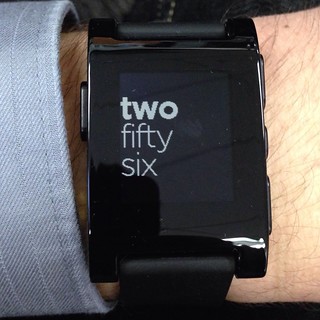
Pebble: First Few Weeks

What seems like a long time ago now, I backed a Kickstarter project to create a smart watch for iOS and Android called the Pebble. Due to deliver late last year, the project ran a little over schedule, but a few weeks back my Kickstarter Edition Pebble watch arrived in the mail, and I have been living with it ever since. This is my summary of my experiences in those first few weeks, using the watch connected to my iPhone 5.

I am deeming it to be semi-smart though, in contrast to some of the watches that are available since without the connection to the smartphone it does nothing more than tell the time. Even updating the time when daylight savings came into effect was dependent on a ping from the associated phone.

Continue reading

Nike Fuelband vs Fitbit One

My wife got a new Nike Fuelband for Christmas and after a bit of a struggle getting it set up, is wearing it daily to track her activity. Inspired by this, and by seeing other recipients of similar gadgets on app.net, I decided to look into getting something I could try. I ended up selecting the Fitbit One. This is my initial reaction to both devices, and the concept of gamified health tracking.

Gamification

A relatively new word, but far from a new concept, gamification seems to be everywhere these days. Tracking your daily activity is one of those things that after a day or so would simply become a task. Adding an abstract notion of score (such as Nike's Fuel values) and daily goals to reach or beat, turns this routine activity into something of a game. Add a social aspect to share your success with your friends online, or challenge each other to reach the highest score, and you have the motivation that many find lacking in just turning up to the gym a few times a week.

Health tracking applications are also popular right now. Bravo's recent “reality” show about Silicon Valley startups featured two applications in this space (one an app for predicting life expectancy and adjusting it based on your lifestyle, the other a motivation app pairing you with a mentor to keep you on track). In many ways, gadgets like the Fuelband and the Fitbit are doing similar things via their activity scoring and social sharing (motivation).

Continue reading

Multitasking & Battery Life

One thing that has annoyed me for the longest time now is this myth that multitasking somehow reduces battery life. The iPhone multitasks today, it just doesn’t allow multiple third party apps to run concurrently.

I’ve written a lot of software, both application and system level (right down to the lowest levels of an RTOS), and believe me, if it is written properly a background app does little or no harm to battery life.

Many of the applications that people would like to see running in the background would spend almost all of that time waiting for a system event. That waiting state doesn’t harm your battery life; only when the application is actually processing something does it really consume power. The push mechanism on the iPhone today might actually be worse since it has to load the app each time, a far more expensive operation (in CPU, and therefore battery) than just switching to one that is already “running.”

Consider the IM app example that is so often used to support the claim that background apps kill battery life. Sure, if you run the IM app (background or foreground) and stream messages at it continually, then it will reduce the battery life. If you just have it sitting there in case somebody tries to start a session though it isn’t doing anything most of the time (occasional presence messages perhaps). I ran an IM app all the time on my Nokia N95, connected over AT&T’s network 24/7. My battery life was unaffected, as expected.

Another example of a well behaved background app is the daemon that we wrote for the jailbroken version of Devicescape’s app (before the SDK and app store existed). It made no difference to battery life because it spent almost all the time blocked waiting for a system event. One that only happened when a new Wi-Fi connection was made. We run in the background on Nokia, Windows Mobile and Android (not to mention Windows XP/Vista/7 and Mac OS X) today without impacting battery life.

So what will affect battery life? Well, an app that continues to do something in the background, rather than waiting for an event, one that polls for an event rather than blocking until the OS tells it about the event, or one that requires a power-hungry piece of the hardware to be on all the time (e.g. GPS). But even those apps have their place. Imagine a background image uploader: it will do something in the background while it is needed, and then exit or wait for a new photo to be taken. Or an app that checks your location every 5 minutes. It is my choice to use the battery that way, so why restrict it? Just make sure it is reasonable for the application, explained to the user, and under my control (can be checked as part of the review process).

These types of apps don’t take any more power than they would if I left them running in the foreground, but letting me push them to the background allows me to choose if I want to watch them work, or read my email etc.

Above all, please stop spreading this myth that multitasking or background processes will harm battery life. Only badly written apps would do that.

Nokia Should Switch to Mac OS X

A little different from my recent posts, but this is something I’ve been thinking about for a few weeks now believe it or not. Nokia should switch to Mac OS X.

OK, I don’t mean they should switch their phones over to running Mac OS X, nor for that matter even their new netbooks. I mean they should switch their application development environment from Windows to Mac OS X.

Why?

Aside from it simply being a much, much better platform to use for development in general, it is also the platform that a large number of mobile application developers already use. Over 125,000 registered mobile app developers out there today are using the Mac platform to write apps for the iPhone platform. The majority of those developers are not going to think of switching to a Windows box to develop on. If Nokia wants to court some of them into developing for its smartphones too, it needs to have a development environment that runs under Mac OS X.

XCode or Eclipse

It doesn’t matter as much as the platform choice, but plugging into XCode as well would certainly make the process more familiar to iPhone developers.

What really matters though is that the tools are simple to install, run smoothly and allow for rapid development (including simple, fully operational device debugging).

Nokia’s tools people need to spend a few days working with the iPhone SDK and getting a feel for how smooth the development process is. (OK, I know the certificate stuff isn’t great, but it is still integrated into the build process, and the newer releases of XCode have made it a little easier to deal with.) Then make sure the Nokia platform is as simple to use, no matter what tools it is based on. This is about a complete system.

S60 or Maemo

While we’re talking about cleaning things up, S60 has gone beyond its useful life. I used an N95 for two years from when they first came out, and believe me that was already stretching S60 beyond breaking point. The newer phones are being seriously let down by S60.

If Nokia could just accept that Symbian is dead, and move their vast momentum behind Maemo, a platform they’ve been developing and proving in the field for several years now, but still don’t have the courage to stand behind 100%, they’d actually have a platform that could compete with Android for sure, and perhaps even Apple.

There are some simple rules for success here though (and something that Android is already failing on):

  • Own your platform. Define it, and keep it consistent. You can mix up the peripherals a little, but keep the screen size the same, and make sure the OS abstracts the interface to things like keyboards so no matter what the hardware supports, the apps don’t need to change.
  • Simple, clean UI. Given where we are now, it is going to be a touch screen interface, so design it as such. Don’t worry about the existing S60 apps – they’re history. Make it clean and simple for all the exciting new apps.
  • Powerful APIs.Let me use things like the network, the location services and the maps without having to jump through hoops, several times, with my hands tied behind my back.
  • Single API.While the APIs need to let me access the full power of the device (and this is the iPhone’s achilles heal), there should also be just one API for each function. KISS matters.

A clean, standard, C++ API based on the Trolltech technologies, and a solid, secure OS like Linux would make a very solid platform.

What About the S60 Apps?

What about them? The folks developing apps for the S60 are going to move on. They’ve probably already moved on – to iPhone or Android. The rest will happily follow.

This idea that you can’t disturb the value chain is nonsense. Even the name implies that: it is a chain, attached to a leader. Where the leader goes, the chain follows. It is how they make money. And realistically what are the alternatives? They’re going to have to change platform regardless, why change more than you need to.

Stimulus

Perhaps this quarter’s massive losses at Nokia will be enough to shock them into activity. The saddest part of all of this is that they have been sitting on the answer to many of the issues with their smartphone platform since before the iPhone and Android were even players in the space. Ironically, they’re also the one company that should feel completely comfortable backing a Linux solution: it is, after all, a Finnish OS.

If, even after all these years with Maemo, FOSS issue is a problem though, how about using NetBSD or licensing a true microkernel like QNX Neutrino? Trolltech’s UI would run on both of those very easily (one of my last demo projects at Wind River was to port the open source version of Trolltech’s code to run under VxWorks AE – it was a simple port, and ran very well).